
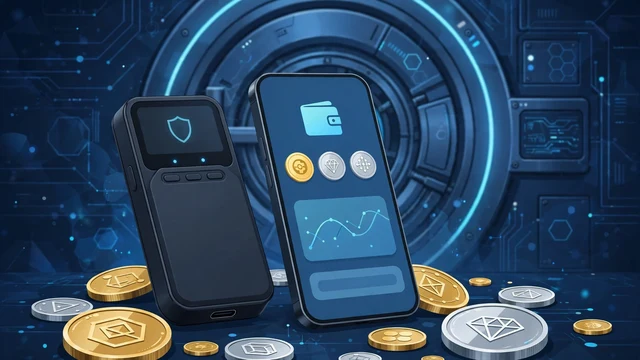
There is no single best crypto wallet for everyone, and anyone who tells you otherwise is probably selling you one. The right wallet depends on what you hold, how often you move it, and how much you would lose if someone got hold of your keys. A beginner with $200 of Bitcoin needs something very different from a trader moving five figures a week.
The good news is that the choice is simpler than the endless comparison tables make it look. In 2026 the market has settled into a clear shape: two hardware wallet makers dominate cold storage, a handful of free software wallets cover everyday use, and the smartest setup for most people is one of each — a hardware device for savings, a software wallet for spending and trading.
In this article
- Key Takeaways
- Hot Wallets vs Cold Wallets: The One Decision That Matters
- Best Hardware Wallets Compared: Ledger vs Trezor
- Best Software Wallets: MetaMask, Phantom, Trust Wallet and Coinbase Wallet
- How to Choose the Right Wallet for Your Situation
- Setting Up a Wallet Safely: Seed Phrases and Backups
- The Mistakes That Cost People Their Crypto
- Facts and Figures
- What to Watch Next
- Frequently Asked Questions
- Related Articles
Key Takeaways
- The best setup for most people is two wallets: a hardware wallet for long-term holdings and a free software wallet for everyday use.
- Ledger and Trezor dominate hardware wallets, with entry models at around $69 and $59 respectively as of November 2026.
- MetaMask remains the most widely used software wallet for Ethereum and DeFi, with around 30 million monthly active users.
- Trust Wallet has the largest user base of any self-custody wallet at 220 million-plus users, while Phantom leads on Solana with 20 million-plus users.
- In October 2026, tampered hardware wallets sold through a reseller were found stealing recovery phrases — buy hardware only from the maker’s own store.
- Your recovery phrase is your wallet: anyone who sees it owns your crypto, and no company can recover it if you lose it.
Hot Wallets vs Cold Wallets: The One Decision That Matters
Before comparing brands, you need to understand the one distinction that matters more than any feature list. A crypto wallet does not actually hold your coins — your coins live on the blockchain. What a wallet holds is your private key, the secret that proves you own them and lets you spend them.
A hot wallet is software that keeps your private key on a device connected to the internet — your phone, your browser, your laptop. MetaMask, Phantom, Trust Wallet and Coinbase Wallet are all hot wallets. They are free, instant to set up, and designed for doing things: swapping tokens, using DeFi apps, buying NFTs, paying people. The trade-off is exposure: a hot wallet’s key sits on the same device you use to browse the web and open emails, which makes it reachable by malware, phishing pages and fake apps.
A cold wallet, usually a small hardware device, keeps your private key on a chip that never touches the internet. When you want to send crypto, the device signs the transaction internally and only the signed result goes to your computer or phone. Even if your laptop is riddled with malware, the key itself never leaves the device. Ledger and Trezor are the two big names here, and their devices range from around $59 to $399. The trade-off is convenience: every transaction needs the physical device and a button press to confirm. For savings you rarely touch, that friction is a feature, not a bug.
There is a third category worth knowing about: custodial wallets, where an exchange holds your keys for you. If you keep crypto on an exchange, you are trusting its security instead of your own — and exchange collapses have repeatedly shown the danger of that. The crypto saying “not your keys, not your coins” exists for a reason. Self-custody — holding your own keys in your own wallet — is what this guide is about.
The practical answer for most people is to use both types. Keep the bulk of your holdings on a hardware wallet, and keep a smaller amount in a hot wallet for day-to-day use. Think of it like a bank account and the cash in your pocket: you would not carry your life savings in your wallet, and you would not go to the shops with your savings account.
Best Hardware Wallets Compared: Ledger vs Trezor
The best hardware wallet question has had the same two answers for years, and 2026 is no exception: Ledger and Trezor. Both make well-tested devices with certified secure-element chips, both support thousands of coins, and both have been through multiple independent security audits. The differences are in philosophy, price and polish.
Ledger is the bigger company and the more polished product. Its lineup runs from the Nano S Plus at around $69 through the Nano X at $99, the Nano Gen5 at $179, the Flex at $249 and the flagship Stax at $399 (official store prices, November 2026). The Nano S Plus is the budget pick: a two-button device with a small OLED screen, USB-C only, and the same EAL6+ certified secure-element chip as Ledger’s more expensive models. The Nano X adds Bluetooth and a battery, so it works with phones — though its secure element carries the older EAL5+ certification. The newer Gen5, Flex and Stax models add touchscreens in various sizes. Ledger’s companion app, renamed Ledger Wallet in October 2025, supports more than 500 coins directly, with thousands more reachable through third-party wallets.
Trezor is the purist’s choice, and the company that invented the hardware wallet category in 2014. Its current range is simpler: the Safe 3 at $59, the Safe 5 at $129 and the Safe 7 at $249. All three use an EAL6+ secure element, and — the key difference from Ledger — Trezor’s firmware is open source, so independent researchers can read and audit the code that runs on the device. The Safe 3 is the budget pick, with a two-button interface and a small monochrome screen; the Safe 5 adds a colour touchscreen with haptic feedback; the Safe 7 adds Bluetooth and wireless charging. Trezor’s default backup is a 20-word phrase using the SLIP-39 standard, rather than the 24-word BIP39 phrase Ledger uses — both work fine, but the difference matters if you ever need to restore a wallet on a different brand’s device.
So which should you buy? If you want the widest coin support in the manufacturer’s own app and the slickest experience, Ledger edges it. If you want open-source firmware you can verify rather than trust, Trezor wins. On price, the two are neck and neck at the entry level — $59 for the Safe 3, around $69 for the Nano S Plus — and Trezor is cheaper in the mid-range, with the Safe 5 at $129 against Ledger’s $179 Gen5. One more factor matters in 2026: where you buy. In October 2026, devices sold by a reseller called CryptoBilis were found to contain hidden implants that read the recovery phrase from the screen during setup and sent it out over a mobile data connection. Both makers say their direct stores are unaffected — buy only from the manufacturer’s own store, never from a marketplace listing.
Best Software Wallets: MetaMask, Phantom, Trust Wallet and Coinbase Wallet
If hardware wallets are the vault, software wallets are the wallet in your pocket — and the best software wallet depends mostly on which blockchains you use.
MetaMask is the default wallet of the Ethereum world and the most widely used wallet for DeFi and Web3, with around 30 million monthly active users and more than 100 million lifetime downloads. It started as an Ethereum-only browser extension and has grown into a multi-chain wallet covering more than 700 networks, including Bitcoin and Solana alongside its EVM heartland. Almost every decentralised app expects MetaMask, which makes it the path of least resistance for anyone using DeFi, and it pairs with Ledger and Trezor devices so you can approve transactions on hardware while browsing with the extension. Its built-in swap feature charges a 0.875% fee, which is on the high side — for larger swaps, using a decentralised exchange directly is usually cheaper. MetaMask is also the most impersonated wallet in crypto: fake MetaMask sites and support accounts are everywhere, so bookmark the real site and never type your recovery phrase anywhere, ever.
Phantom began as the wallet for Solana and has grown into a genuine multi-chain wallet, with 20 million-plus users and around 15 million monthly active users. It is widely regarded as the best-designed wallet in crypto — clean, fast, and genuinely pleasant to use — and it remains the natural first choice for anyone whose activity centres on Solana, whether that means memecoins, NFTs or Solana DeFi. It now supports Ethereum, Bitcoin, Base and Polygon too, though Solana is still its core. One caution from 2026: Phantom ended support for the Sui blockchain on September 24, 2026, a reminder that chain support in any wallet is not permanent.
Trust Wallet is the biggest self-custody wallet by user count, with 220 million-plus users and support for more than 110 blockchains and 32 million assets. Owned by Binance, it is mobile-first and strongest in everyday use — stablecoin transfers, simple swaps, staking — particularly in emerging markets, where it dominates on-chain activity on Tron and BNB Chain. Its breadth is its selling point: if you hold coins across many chains, Trust Wallet probably supports them all in one app. Its security record took a hit in December 2025, when a compromised browser extension update (version 2.68) drained 2,520 addresses; affected users were reimbursed.
Coinbase Wallet is the natural choice for beginners already using the Coinbase exchange, and the easiest on-ramp for people leaving an exchange for self-custody for the first time. It is tightly integrated with Coinbase’s Base layer-2 network and supports 11 networks including Ethereum, Solana and Bitcoin. It went through a confusing rebrand in 2025 — renamed the Base App — before being renamed back to Coinbase Wallet on September 10, 2026, so older guides may use either name.
For most people, the practical choice is simple: MetaMask if you use Ethereum and DeFi, Phantom if you use Solana, Trust Wallet if you hold coins across many chains, Coinbase Wallet if you are just starting out from the Coinbase exchange.
How to Choose the Right Wallet for Your Situation
With the main options on the table, here is how to narrow it down. The safest crypto wallet for you is the one that matches how you actually use crypto.
If you are a beginner buying your first crypto, start with a free software wallet — Coinbase Wallet or Trust Wallet are the friendliest — and learn the basics with a small amount. Once your holdings grow past an amount you would be upset to lose, buy a hardware wallet. A common rule of thumb in 2026 guides is that anything over $1,000 belongs on hardware.
If you hold long-term and rarely trade, a hardware wallet is the whole answer. Pick the Trezor Safe 3 ($59) or Ledger Nano S Plus (around $69) if budget matters, or step up to the Trezor Safe 5 ($129) or Ledger Nano Gen5 ($179) for a touchscreen that makes verifying transaction details much easier. Set it up, back up the recovery phrase properly, move your coins off the exchange, and put the device somewhere safe.
If you trade or use DeFi regularly, you need a hot wallet as your daily driver — MetaMask for Ethereum DeFi, Phantom for Solana — paired with a hardware wallet for signing. This combination gives you the convenience of a browser wallet with the security of offline keys: the hot wallet prepares the transaction, the hardware device signs it, and the key never touches your computer.
If you hold coins across many blockchains, Trust Wallet’s 110-plus chains or a Ledger device (500-plus coins in its own app, thousands more via third-party wallets) will save you from juggling half a dozen apps. Before committing, check that the specific coins you hold are actually supported.
If you use crypto on your phone, make sure the wallet you pick has a good mobile app and, for hardware, Bluetooth. The Ledger Nano X ($99) and Nano Gen5 ($179) both connect to phones over Bluetooth; the Trezor Safe 7 ($249) is the only Trezor with Bluetooth, while the Safe 3 and Safe 5 are USB-C only.
Whatever you choose, two rules apply to every wallet. First, download apps only from the official app store listing or the maker’s own website — fake wallet apps are one of the most common ways people lose crypto. Second, never buy a used hardware wallet, and never use one that arrives with a recovery phrase already filled in.
Setting Up a Wallet Safely: Seed Phrases and Backups
Setting up a wallet takes ten minutes. Setting it up safely takes twenty — and those extra ten minutes are the most important part of the whole process. The single most important concept in self-custody is the seed phrase, also called a recovery phrase: a list of 12 or 24 words (20 for Trezor’s SLIP-39 default) generated when you create a wallet. That phrase is the master key to everything in the wallet. With it, anyone can restore your wallet on any device and take your crypto. Without it, nobody can recover your funds if your device breaks or your phone is lost.
When you set up a new wallet, it will show you the phrase once and ask you to write it down. Do that on paper, by hand, in the exact order shown. Then check it twice. Then store it somewhere safe and private — a fireproof safe, a safety deposit box, or a metal backup plate designed to survive fire and flood. What you must never do is store it digitally: not in a notes app, not in a photo, not in an email to yourself, not in a cloud document. Every one of those is a place malware, a data breach or a stolen phone can reach.
For larger holdings, consider splitting your backup. Some people keep two copies in different locations, so a fire in one place does not destroy both. More advanced users use multi-share backups, where the phrase is split into shares and a subset is enough to recover — Trezor’s SLIP-39 standard supports this natively. Whatever method you choose, test your backup before you fund the wallet: wipe the device (or delete the app) and restore from the written phrase. If it works, your backup is good.
Two more setup habits matter. First, set a strong PIN on a hardware device and a strong password on a software wallet, and enable every lock your phone offers. Second, verify the receiving address on the hardware device’s screen before every transfer, not just on your computer screen: malware can swap an address shown on a compromised computer, but it cannot change what the device itself displays.
The Mistakes That Cost People Their Crypto
Most crypto is not lost to sophisticated hacks. It is lost to ordinary mistakes, and every one of them is preventable. Here are the ones that show up again and again.
Sharing the recovery phrase. No legitimate wallet company, exchange or support agent will ever ask for your seed phrase. Anyone who asks — in a support chat, a direct message, a “verification” form, a phone call — is trying to steal your crypto. This is the single most common theft method in crypto. The rule is absolute: the phrase goes on paper, in a safe place, and nowhere else.
Keeping everything on an exchange. Exchanges get hacked, go bankrupt, freeze withdrawals and get shut down by regulators. The November 2026 Binance hack — in which $6.3 billion was stolen — is only the latest reminder that an exchange balance is an IOU, not ownership. Our report on the TraderTraitor North Korea Binance hack explains how it happened. If you are not trading it this week, move it to a wallet you control.
Falling for fake apps and phishing sites. Fake wallet apps appear in app stores, fake support accounts reply to every complaint on social media, and phishing sites copy wallet homepages pixel for pixel. Always navigate to a wallet’s site yourself rather than clicking a link, check the URL carefully, and be suspicious of any “support” account that messages you first.
Sending crypto to the wrong network. Crypto networks are not interchangeable: USDT on Tron is not the same as USDT on Ethereum, and sending tokens to an address on the wrong chain can mean losing them permanently. Always check the network before you send, and for a first transfer to a new wallet, send a small test amount first.
Buying a tampered device. As the October 2026 CryptoBilis incident showed, even hardware wallets can be compromised before they reach you if they pass through the wrong hands. Buy direct from the maker, check the packaging for tampering, and make sure the device generates a fresh recovery phrase during setup.
The thread running through all of these is simple: in self-custody, you are your own bank. A hardware wallet, a paper backup stored properly, and a healthy suspicion of anyone asking for your phrase will protect you from the overwhelming majority of threats.
Facts and Figures
| Item | Detail (as of November 21, 2026) |
|---|---|
| Ledger Nano S Plus price | Around $69 |
| Ledger Nano X price | $99 |
| Ledger Nano Gen5 price | $179 (launched October 2025) |
| Ledger Flex price | $249 |
| Ledger Stax price | $399 |
| Trezor Safe 3 price | $59 (cut from $79 in 2026) |
| Trezor Safe 5 price | $129 |
| Trezor Safe 7 price | $249 |
| Ledger secure element | EAL6+ (Nano S Plus, Gen5); EAL5+ (Nano X) |
| Trezor secure element | EAL6+ on Safe 3, Safe 5 and Safe 7 |
| Trezor firmware | Open source |
| Ledger firmware | Closed (secure-element firmware) |
| Ledger recovery phrase | 24 words (BIP39) |
| Trezor recovery phrase | 20 words (SLIP-39 default) |
| Ledger coins in own app | 500+ (thousands more via third-party wallets) |
| MetaMask monthly active users | Around 30 million |
| MetaMask lifetime downloads | 100 million+ |
| MetaMask networks supported | 700+ |
| MetaMask swap fee | 0.875% |
| Trust Wallet users | 220 million+ |
| Trust Wallet chains supported | 110+ |
| Phantom users | 20 million+ |
| Phantom monthly active users | 15 million+ |
| Trezor founded | 2014 (first hardware wallet) |
| Ledger founded | 2014 |
| Oct 2026 reseller incident | Implants in devices sold by CryptoBilis stole recovery phrases |
| Trust Wallet extension incident | v2.68, December 2025 — 2,520 addresses drained, users reimbursed |
What to Watch Next
First, watch the fallout from the October 2026 supply-chain incident. Both Ledger and Trezor have said their direct stores are unaffected, but the episode has already changed buying advice across the industry. Expect both makers to tighten authorised-reseller programmes and add more tamper-evidence to packaging — and expect the “buy direct” advice to become standard in every wallet guide, including this one.
Second, watch wallets becoming banks. MetaMask’s Mastercard, launched in February 2026, and Phantom’s Phantom Cash card are the start of a clear trend: wallets that let you spend stablecoins at ordinary shops, blurring the line between a crypto wallet and a bank account.
Third, watch for the next generation of recovery. Seed phrases are the weakest link in self-custody: easy to lose, easy to steal, impossible to change. Multi-share backups, social recovery and passkey-based wallets are all being developed as alternatives. Until then, the paper backup in a safe place remains the standard — boring, effective, and entirely under your control.
Frequently Asked Questions
Q: What is the best crypto wallet for beginners?
For a beginner, the best crypto wallet is a free software wallet such as Coinbase Wallet or Trust Wallet to start with, plus a hardware wallet once your holdings grow. Start small, learn how sending and receiving works, and back up your recovery phrase on paper. Once you hold more than you would be comfortable losing — many guides suggest around $1,000 — move the bulk to a hardware wallet such as the Trezor Safe 3 ($59) or Ledger Nano S Plus (around $69).
Q: Is a hardware wallet worth it?
Yes, for anyone holding crypto long-term. A hardware wallet keeps your private key on a chip that never touches the internet, so malware on your computer or phone cannot steal it. At $59–$69 for an entry-level device, it costs less than a single phishing mistake.
Q: What is the difference between a hot wallet and a cold wallet?
A hot wallet is software connected to the internet — an app or browser extension such as MetaMask or Phantom — designed for everyday use, swaps and DeFi. A cold wallet is a hardware device that keeps your private key offline and signs transactions internally, so the key never touches an internet-connected device. Hot wallets are convenient; cold wallets are safer. Most experienced holders use both: cold storage for savings, a hot wallet for daily use.
Q: Can I lose my crypto if I lose my hardware wallet?
No — as long as you have your recovery phrase. The wallet’s funds live on the blockchain, not on the device, and the phrase can restore them on any compatible wallet. What you cannot recover from is losing the phrase itself: there is no password reset in self-custody. That is why the backup matters more than the device, and why it should be written on paper and stored somewhere safe, never saved digitally.
Q: Is MetaMask safe?
MetaMask itself has never had its core wallet breached, but it is a hot wallet, so its security depends heavily on the user. Its keys live on your device, and it is the most impersonated wallet in crypto — fake sites, fake apps and fake support accounts target it constantly. Use it with a hardware wallet for signing larger transactions, and never share your recovery phrase.
Q: Where should I buy a hardware wallet?
Buy only from the manufacturer’s own online store or a vetted authorised reseller. In October 2026, hardware wallets sold through a reseller called CryptoBilis were found to contain implants that stole recovery phrases during setup. Never buy a used hardware wallet, and never use a device that arrives with a recovery phrase already written down — a genuine device always generates a fresh phrase on first setup.
Related Articles
- TraderTraitor North Korea Binance Hack: The $6.3 Billion Heist Explained
- Tether Freezes USDT Binance Hack Funds: $1.76 Billion Locked After the $6.3B Theft
- How to Buy Bitcoin: A Beginner’s Step-by-Step Guide
- Best Crypto Exchange in 2026: Top Picks Compared
- What Is Cryptocurrency? A Beginner’s Guide to Digital Money
Disclaimer: This article is for information purposes only and is not financial advice. Cryptocurrency prices are volatile and can move sharply in either direction. Do your own research before making any investment decision. All prices and figures are as of November 21, 2026.


Leave a Reply